How ClearScribe MCP Turns AI Assistants Into Connected Workflows
See how ClearScribe MCP helps compatible AI assistants move beyond isolated chat by working with ClearScribe knowledge, connected tools, structured actions, and real workflows.
ClearScribe MCP
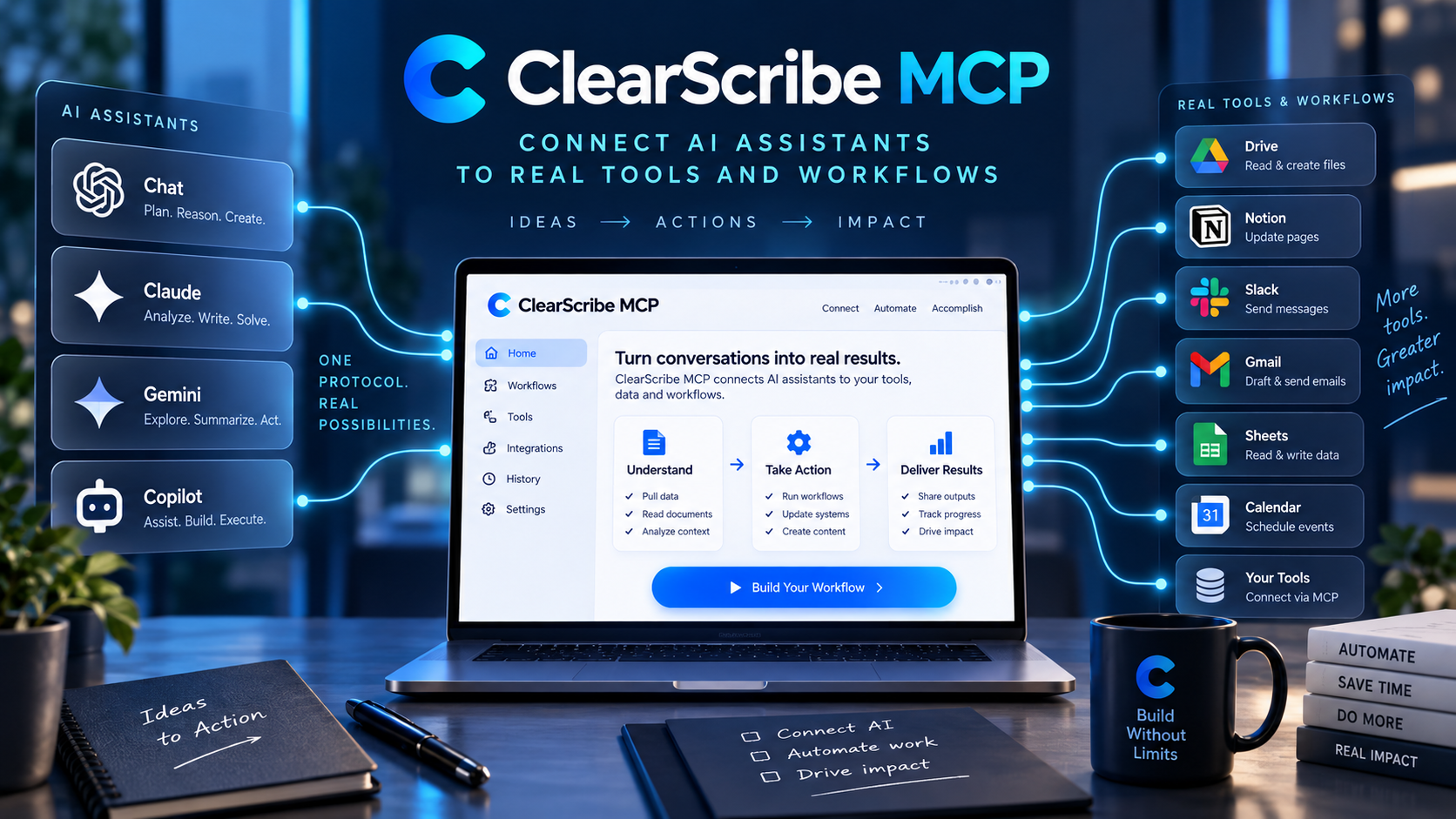
An AI assistant is much more useful when it can work with the systems where your information and tasks already live.
Without those connections, even a capable assistant often operates in isolation. You may need to copy meeting notes into the chat, explain project context again, move answers manually into another tool, and repeat the same process every time.
ClearScribe MCP is designed to turn that disconnected experience into a more useful connected workflow.
From conversation to action
A traditional AI chat starts with a prompt and ends with an answer.
A connected workflow can go further.
The assistant can retrieve relevant information, inspect structured data, use an approved tool, create an output, or pass information into another connected service.
That changes the role of the assistant from a place where you ask questions into a system that can participate in real work.
Start with context
Context is one of the biggest limitations of isolated AI tools.
An assistant cannot reliably help with a meeting it has never seen, a note it cannot access, or a project history that exists somewhere else.
ClearScribe MCP provides a structured way for compatible assistants to work with supported ClearScribe information.
That can include notes, meetings, transcripts, summaries, outputs, action items, and other indexed knowledge.
The user does not need to manually paste every piece of information into every new conversation.
Search before answering
A useful connected assistant should be able to retrieve relevant information before producing an answer.
For example, a user might ask:
- What did we decide about this project?
- Which meetings mentioned this client?
- What follow-up tasks are still relevant?
- Find the summary related to this topic.
ClearScribe MCP can expose supported search and retrieval tools that allow the assistant to work with the user's own ClearScribe context.
This makes the resulting workflow more grounded and more practical.
Create structured outputs
Connected workflows should not stop at retrieval.
If the assistant identifies something useful, it may need to create a supported output such as a note, summary, action-oriented item, or other structured ClearScribe content.
ClearScribe MCP supports controlled creation tools so compatible assistants can move information into the workspace in a defined way.
The key word is controlled.
The assistant uses explicit tools with known inputs and known behavior rather than receiving unrestricted access to everything.
Connect external services
The workflow becomes more powerful when ClearScribe can connect with the software users already depend on.
Examples include document platforms, collaboration tools, project-management systems, communication tools, and other productivity services.
A connected workflow might retrieve a meeting, identify an action item, then create or export something into an approved external system.
The user can move from understanding information to acting on it without manually rebuilding the context in every application.
MCP gives AI a common tool language
One reason MCP matters is that it provides a standard way for compatible AI clients to discover and call tools.
Without a common protocol, every integration can become a separate custom project.
With MCP, the same ClearScribe tool layer can be made available to multiple compatible AI environments.
That makes the integration architecture more reusable and more scalable.
A practical example
Imagine a user asks an AI assistant:
Prepare me for tomorrow's customer meeting.
A disconnected assistant may need the user to paste previous notes manually.
A connected ClearScribe MCP workflow could instead:
- Search relevant ClearScribe meetings.
- Retrieve the previous discussion.
- Review summaries and action items.
- Identify unresolved questions.
- Create a preparation note.
- Use an approved connected tool when the workflow requires it.
The final answer is useful, but the real value comes from the chain of connected actions behind it.
Security remains part of the workflow
Connecting AI to real information and external services increases capability, but it also increases responsibility.
Authentication, identity, permissions, scoped tools, controlled write actions, connection status, and clear error handling all matter.
A professional MCP system should make those boundaries explicit rather than hiding them.
ClearScribe MCP is being developed with that controlled integration model in mind.
ClearScribe MCP has a specific role
ClearScribe MCP is one of the five main ClearScribe products.
ClearScribe AI focuses on meetings, recordings, transcription, notes, and understanding information.
ClearScribe Content Studio focuses on creating content.
ClearScribe Developer API provides programmable capabilities for developers.
ClearScribe Agent Center focuses on creating and running agents.
ClearScribe MCP provides the connection layer that allows compatible AI systems to work with tools, knowledge, and approved actions.
Final thought
The future of AI productivity is not only about better answers.
It is about connecting intelligence to the context and tools required to complete useful work.
ClearScribe MCP is designed to make that connection possible through structured, reusable, and controlled AI workflows.