ClearScribe Developer API vs ClearScribe MCP: Which Integration Should You Use?
Compare ClearScribe Developer API and ClearScribe MCP, understand where each integration model fits, and choose the right approach for applications, AI assistants, tools, and connected workflows.
ClearScribe Developer API
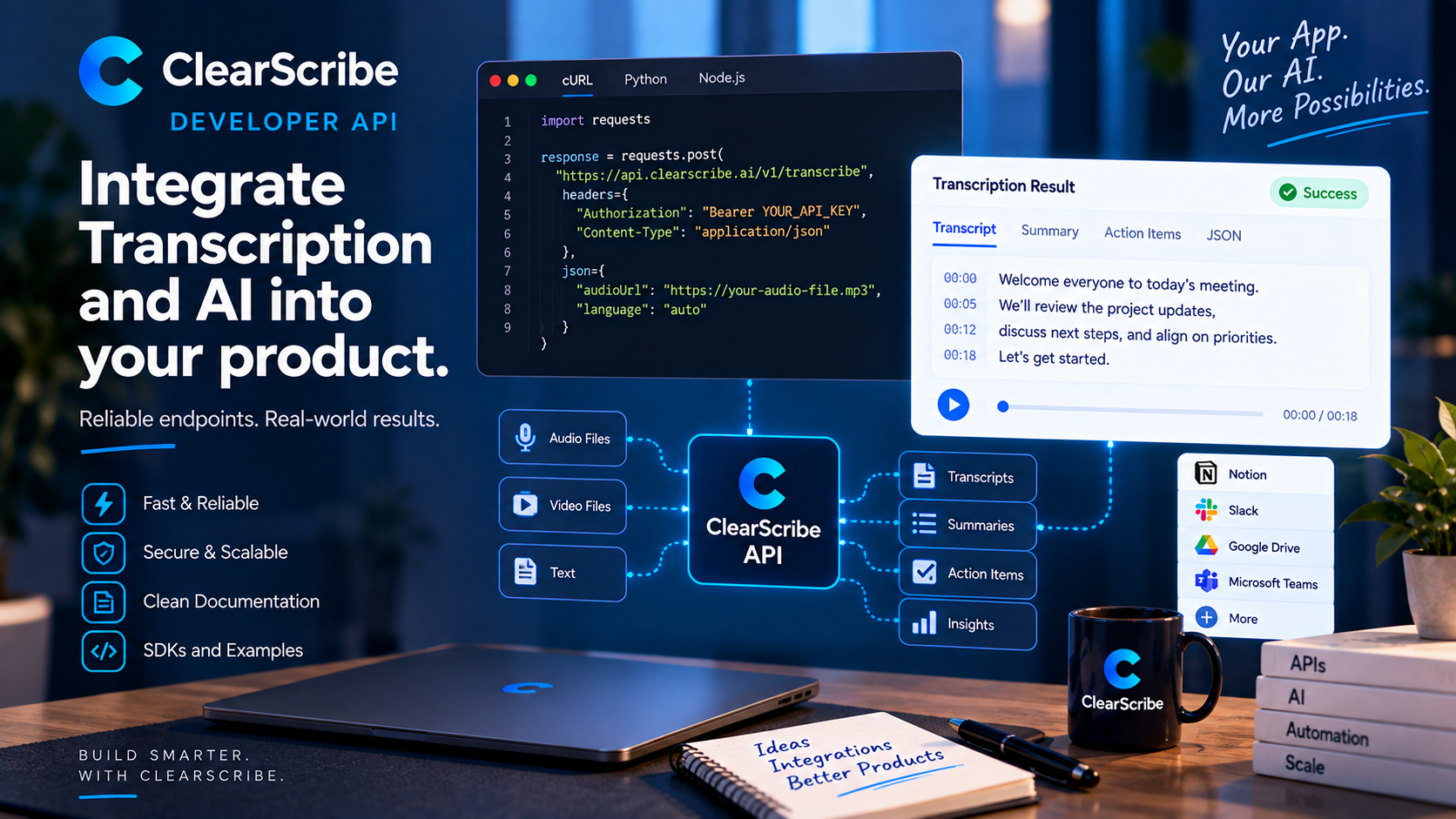
ClearScribe Developer API and ClearScribe MCP both connect external systems to ClearScribe, but they are designed for different types of integration.
The easiest way to understand the difference is to look at who controls the workflow.
With ClearScribe Developer API, the developer controls the application logic directly.
With ClearScribe MCP, a compatible AI assistant or MCP client discovers and uses ClearScribe tools through the Model Context Protocol.
Both approaches can be powerful, but they solve different problems.
What ClearScribe Developer API is for
ClearScribe Developer API is designed for developers building ClearScribe capabilities directly into their own software.
The application sends requests to defined API endpoints, receives structured responses, and decides what happens next.
That model is useful when the developer needs predictable programmatic control over the workflow.
Examples include:
- adding transcription to an application
- processing recordings or media
- generating AI outputs
- creating exports
- integrating ClearScribe capabilities into an existing SaaS product
- building custom backend workflows
The developer owns the surrounding product experience.
What ClearScribe MCP is for
ClearScribe MCP is designed for compatible AI assistants and MCP clients.
Instead of calling application endpoints directly as part of fixed code, the AI system can discover available tools and decide when a tool is relevant to the user's request.
Examples include:
- searching ClearScribe knowledge from an AI assistant
- retrieving meeting context
- working with notes and outputs
- creating supported ClearScribe content through tools
- connecting AI workflows to external services
The AI client participates more directly in deciding which tool to use.
Developer API gives you direct application control
A traditional API is usually the better choice when you are building a defined product workflow.
Suppose you are creating an education platform that automatically transcribes uploaded lectures.
Your application already knows exactly what should happen:
- Receive the upload.
- Send it for transcription.
- Store the result.
- Generate a summary.
- Display the output to the student.
That workflow does not require an AI assistant to choose a tool dynamically.
The Developer API fits naturally because your application controls every step.
MCP gives AI assistants tool access
Now consider a different scenario.
A user asks an AI assistant:
Find the last three meetings about Project Atlas and summarize the unresolved action items.
The assistant needs to determine which tools to call, retrieve relevant information, and combine the results.
That is a natural MCP workflow.
The assistant can use available ClearScribe MCP tools based on the user's request instead of following one fixed application path.
The integration architecture is different
With ClearScribe Developer API, the relationship generally looks like this:
Your application → ClearScribe Developer API → structured response
With ClearScribe MCP, the relationship is closer to:
AI client → ClearScribe MCP tools → ClearScribe knowledge or connected action
That distinction affects authentication, orchestration, tool discovery, error handling, and how the final user experience is built.
When to choose ClearScribe Developer API
Choose ClearScribe Developer API when:
- you are building a software product
- your backend needs direct programmatic access
- your workflow is defined by your own application logic
- you need structured request and response contracts
- you want to integrate ClearScribe capabilities behind your own interface
- you need predictable endpoint-level control
The API model is familiar, explicit, and well suited to conventional software architecture.
When to choose ClearScribe MCP
Choose ClearScribe MCP when:
- the integration is intended for an AI assistant or MCP client
- the AI needs to discover and choose tools dynamically
- the workflow depends on conversational context
- you want an assistant to search ClearScribe knowledge
- you want AI-driven connected-tool workflows
- you are building around the MCP ecosystem
MCP is especially useful when the AI itself needs to participate in tool orchestration.
You may use both
The choice does not always have to be exclusive.
A product can use ClearScribe Developer API for its core backend workflow while also exposing selected AI-driven capabilities through ClearScribe MCP.
For example, an application could use the Developer API to process recordings automatically and allow an AI assistant to search the resulting ClearScribe knowledge through MCP.
The two products can complement each other because they serve different integration layers.
Authentication and control still matter
Both models require professional access control.
API keys, identity, permissions, rate limits, connection state, tool scopes, and controlled write operations all matter depending on the integration.
The technical interface may differ, but the need for secure, predictable access does not.
Two products with different roles
ClearScribe Developer API and ClearScribe MCP are separate products inside the ClearScribe ecosystem.
ClearScribe Developer API is the programmable platform for developers building direct integrations.
ClearScribe MCP is the AI-tool connection layer for compatible assistants and MCP clients.
Keeping those roles distinct makes it easier to choose the right architecture.
Final thought
If your application knows exactly which ClearScribe capability it needs and when to call it, ClearScribe Developer API is usually the natural integration model.
If an AI assistant needs to discover tools, reason about context, and decide which ClearScribe capability to use, ClearScribe MCP is usually the better fit.
They are not competing approaches.
They are two different ways to connect software and AI systems to the ClearScribe ecosystem.