Design Multi-Step AI Workflows With ClearScribe Agent Center
Learn how ClearScribe Agent Center can structure multi-step AI work around goals, context, tools, approvals, execution, and clear results instead of isolated one-prompt tasks.
ClearScribe Agent Center
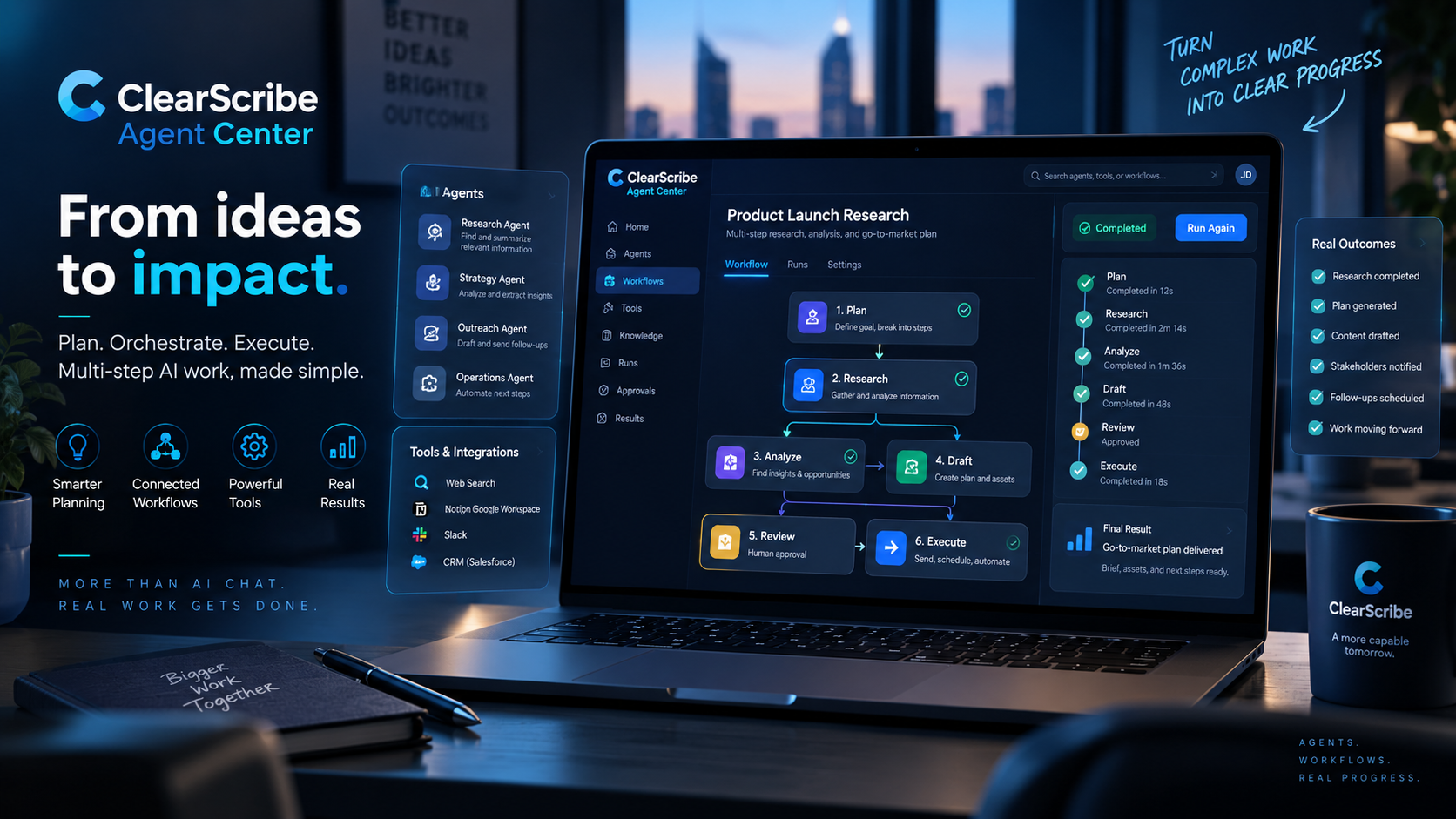
Many useful tasks are not completed in one step.
Research may require gathering information, comparing sources, organizing findings, and preparing a final report.
A meeting workflow may require reviewing a transcript, identifying action items, preparing follow-up communication, and updating another system.
Content work may require research, planning, drafting, revision, and publishing.
ClearScribe Agent Center is designed for these broader multi-step workflows.
Start with a goal
A useful agent workflow should begin with a clear objective.
The goal might be:
- prepare a customer-meeting briefing
- research a market topic
- organize follow-up work from several meetings
- prepare a project status summary
- review information and create a structured output
The clearer the goal, the easier it is to decide which steps, tools, and information the agent needs.
Break the goal into stages
Large tasks become easier to manage when they are divided into stages.
For example, preparing for a customer meeting might involve:
- Find previous meetings with the customer.
- Retrieve relevant notes and summaries.
- Identify unresolved action items.
- Review important decisions.
- Prepare questions for the next conversation.
- Create a concise briefing.
Each stage has a specific purpose.
The agent does not need to solve the entire problem in one unpredictable step.
Give the agent the right context
A workflow is only as useful as the information available to it.
ClearScribe Agent Center can work with the broader ClearScribe ecosystem so an agent can use relevant context instead of starting every task from zero.
That context may include supported meeting information, notes, summaries, action items, structured outputs, and other available knowledge.
The goal is to give the agent enough context to work effectively without exposing unrelated information unnecessarily.
Connect the workflow to tools
Some steps require more than reasoning.
An agent may need to search information, create an output, use a connected service, or perform another approved action.
ClearScribe Agent Center can work alongside ClearScribe MCP and other integration layers so agents can use defined tools during a workflow.
This is where agents become more practical.
Instead of only suggesting what should happen next, the agent can use supported tools to help carry out the work.
Keep permissions explicit
More capable workflows require stronger controls.
An agent should not automatically receive unlimited access to every system.
A professional workflow should define:
- what information the agent can read
- which tools it can use
- which actions require approval
- what it is allowed to create or change
- what should happen when a tool fails
These boundaries make agent behavior easier to understand and manage.
Add approval where it matters
Not every action should run without human review.
Low-risk steps such as searching information or preparing a draft may be suitable for automatic execution.
Higher-impact actions may require confirmation.
For example, sending a message, updating an external record, publishing content, or changing important data may need explicit approval.
The workflow should separate preparation from commitment.
Design for recovery
Real workflows can fail.
A connected service may be unavailable. Required information may be missing. An API may return an error. A step may produce an uncertain result.
A professional agent system should not simply stop without explanation.
It should be able to identify where the workflow failed, preserve completed work when appropriate, and make the next required action clear.
Recovery is part of workflow design, not an afterthought.
Preserve a useful record
Multi-step work becomes much easier to trust when users can understand what happened.
A useful run history can show:
- which agent ran
- what goal it received
- which steps were attempted
- which tools were used
- where approvals were requested
- what outputs were created
- whether the run completed or failed
This provides visibility that a simple chat transcript cannot always provide.
Use specialized agents
One agent does not need to perform every kind of work.
Different agents can be designed for different responsibilities.
A research agent can focus on gathering and organizing information.
A meeting agent can focus on conversations, decisions, and follow-ups.
A content-oriented agent can help prepare creative workflows.
A developer-focused agent can work with technical information and connected systems.
Specialization makes instructions and permissions easier to define.
Agent Center and MCP work together
ClearScribe Agent Center and ClearScribe MCP have different roles.
ClearScribe Agent Center manages the agents and their workflows.
ClearScribe MCP provides a standardized connection layer through which compatible AI systems can access supported tools and context.
Together, they can support workflows where an agent reasons about a task and uses approved ClearScribe or connected tools to complete individual steps.
A practical example
Consider an agent whose goal is to prepare a weekly project review.
The workflow could:
- Search the week's relevant meetings.
- Retrieve summaries and action items.
- Identify repeated blockers.
- Compare open tasks with previous commitments.
- Prepare a concise project status report.
- Present the report for review.
- Use an approved connected tool for the next action if requested.
The important point is that the workflow is structured.
The agent is not simply improvising from one large prompt.
Part of the ClearScribe ecosystem
ClearScribe Agent Center is one of the five main ClearScribe products.
ClearScribe AI focuses on understanding meetings, recordings, notes, and knowledge.
ClearScribe Content Studio focuses on content creation.
ClearScribe MCP connects AI systems to tools and context.
ClearScribe Developer API gives developers programmable access to ClearScribe capabilities.
ClearScribe Agent Center provides the workspace for designing, managing, and running agent-driven work.
Final thought
The value of an AI agent is not measured by how many steps it can take.
It is measured by whether those steps form a useful, understandable, and controlled workflow.
ClearScribe Agent Center is designed to bring goals, context, tools, permissions, approvals, execution, and results into one professional agent workspace.